

Download 500px – High‑Quality Photography Social Network for Windows 8
Overview
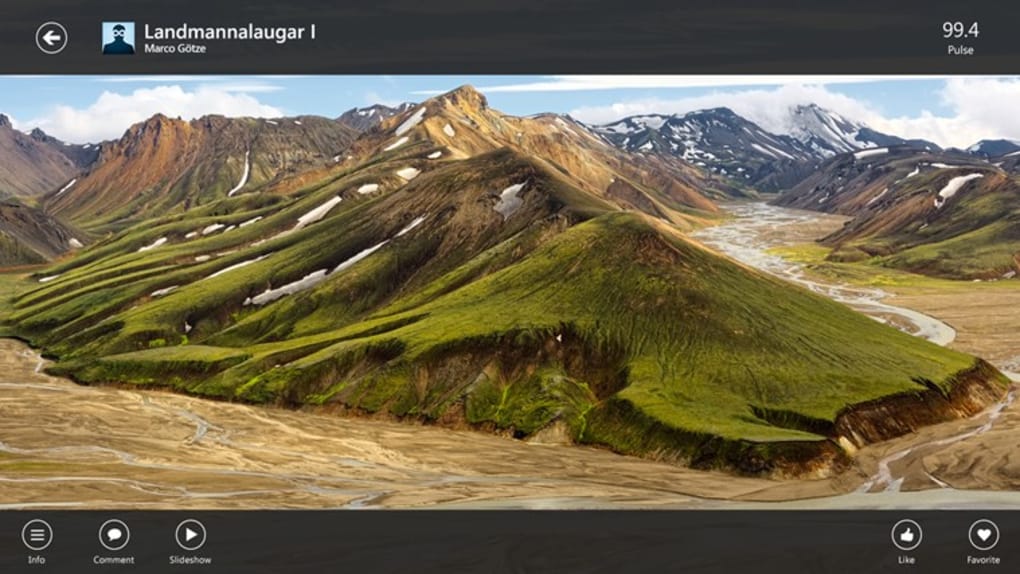
500px for Windows 8 is a refined social platform built especially for photographers who demand more than the casual snap‑share experience of Instagram. The app lets you explore a curated gallery of high‑resolution photographs, discover the creative minds behind each image, and engage through likes, comments, and personal collections. Unlike filter‑heavy competitors, 500px showcases raw craftsmanship, giving you insight into camera settings such as aperture, shutter speed, focal length, and even the exact shooting location. By linking your existing Twitter, Facebook, or a dedicated 500px account, you become part of a community that values quality, technique, and artistic vision. Whether you’re a professional seeking inspiration, an enthusiast hunting for technical tips, or a photographer wanting a polished venue to display your own work, 500px for Windows 8 delivers a seamless, full‑screen browsing experience that mirrors the web version while taking advantage of Windows 8’s touch‑friendly interface.
Core Features & What Sets 500px Apart
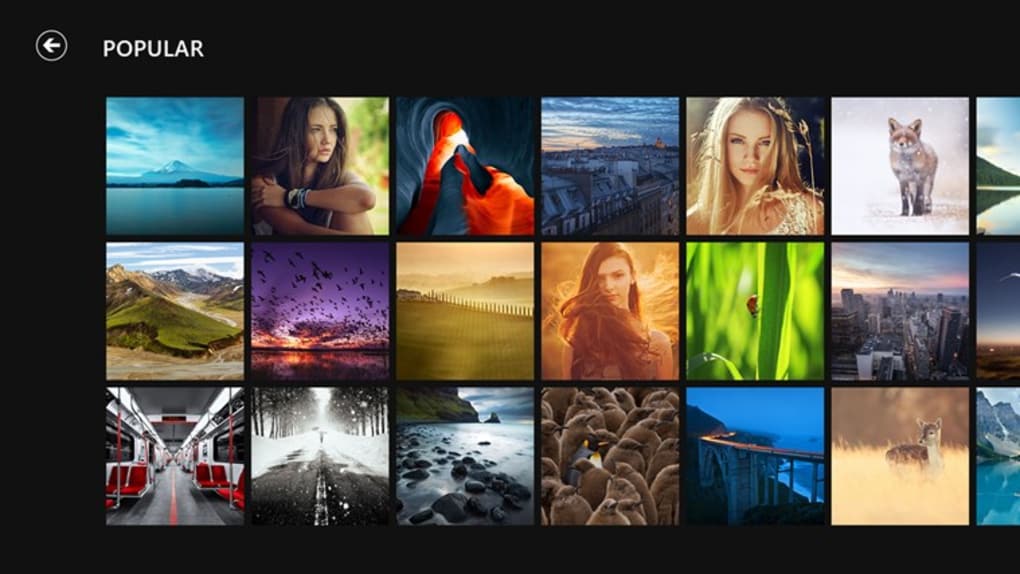
- Full‑screen mosaic view with high‑resolution images
- Advanced search filters: author, theme, popularity, camera model
- Technical metadata display (aperture, shutter speed, focal length, GPS)
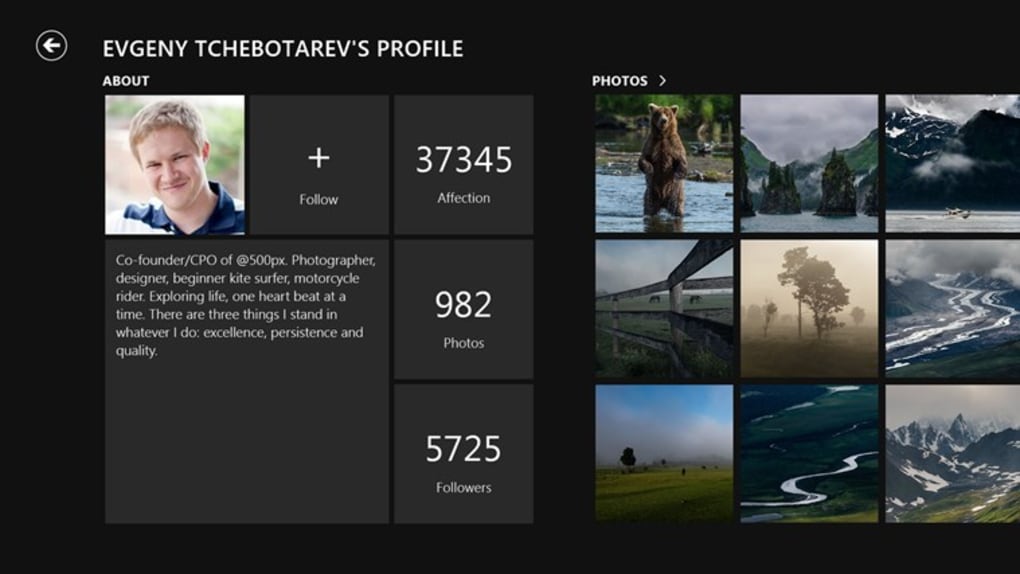
- Social interaction: likes, comments, and follow real users
- Personal collections: save favorites and organize them into custom albums
- Seamless integration with Twitter, Facebook, and native 500px accounts
- Touch‑optimized navigation for Windows 8 tablets and PCs
- Regular content updates from a global community of professional photographers
Pros
- Curated, high‑quality images that inspire serious photographers
- Detailed EXIF data helps users learn technical settings
- Intuitive touch controls make browsing effortless on Windows 8 devices
- Robust social features encourage genuine community engagement
- Free to download and use with optional premium upgrades
Cons
- Limited to Windows 8, no native macOS or Android version yet
- Smaller image library compared to massive platforms like Instagram
- Premium features (advanced analytics, higher visibility) require a subscription
- No built‑in photo editing tools; you must use external editors
Installation, Usage & Compatibility
Getting started with 500px on Windows 8 is straightforward. Follow these steps to install and begin exploring the world of professional photography:
- Open the Microsoft Store on your Windows 8 device.
- Search for “500px” and select the official app published by 500px Inc.
- Click “Get” to download the installer; the process typically completes within a few minutes on a standard broadband connection.
- Once installed, launch the app from the Start screen. You’ll be prompted to sign in via your existing 500px account, Twitter, or Facebook.
- After authentication, you can immediately start browsing the mosaic view, applying filters, or searching for specific photographers.
Using the app is intuitive thanks to Windows 8’s touch‑first design. Swipe left or right to navigate between images, pinch to zoom into details, and tap the heart icon to like a photo. The “Info” button reveals the complete technical metadata, while the comment field lets you engage directly with the creator. To build your own collection, tap the star icon on any image and access your saved works from the “Favorites” tab.
Compatibility: 500px is optimized for Windows 8 and Windows 8.1 devices, including both desktop PCs and touch‑enabled tablets. The app requires a minimum of 2 GB RAM and 150 MB of free disk space. While it runs on Windows 10 in compatibility mode, full feature support is guaranteed only on the native Windows 8 platform.
FAQ – Frequently Asked Questions
Is 500px free to use on Windows 8?
Yes, the core app is free to download and provides full access to browsing, liking, commenting, and creating collections. Premium features such as advanced analytics and higher visibility for your own photos require a paid subscription.
Can I upload my own photos directly from the Windows 8 app?
Uploading is supported through the web interface rather than the Windows 8 client. You can open the app’s “Upload” link, which redirects you to the browser version where you can add new images.
What kind of internet connection do I need for smooth browsing?
Because the app streams high‑resolution images, a broadband connection of at least 5 Mbps is recommended for seamless navigation. Slower connections may cause images to load gradually.
Does 500px store my personal data securely?
Yes. 500px employs industry‑standard SSL encryption for all login and data transmission processes. Your personal profile information is stored in compliance with GDPR and other privacy regulations.
Can I sync my favorites between the Windows 8 app and the web version?
Absolutely. Favorites are linked to your 500px account, so any collection you create on Windows 8 will appear instantly when you log in on the website or other devices.
Conclusion – Join the Community of Visual Artists
500px for Windows 8 offers a polished, high‑quality alternative to mainstream photo‑sharing apps, catering specifically to photographers who value craftsmanship over casual filters. Its rich metadata, touch‑optimized interface, and vibrant community make it an essential tool for anyone serious about learning or showcasing professional photography. Download the free app today, connect via your favorite social account, and immerse yourself in a world where every picture tells a story backed by technical excellence. Ready to elevate your visual inspiration? Click here to download 500px for Windows 8 now and start exploring the finest photography curated just for you.







